Epic Xmas 2014 Word Search - holiday wordsearch1.20
Publisher Description


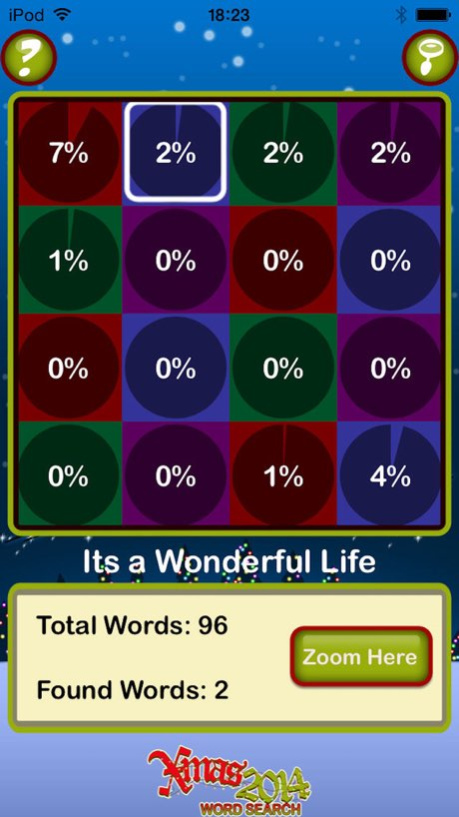
*New for 2014* The biggest gift you'll get this year is the latest version of our GIANT seasonal word search puzzle! This year's puzzle has been completely redesigned to bring you a brand new challenge.
Use two fingers to scroll around the massive grid, then drag with one finger to highlight a word. Zoom out at any time to see a summary of your progress.
The puzzle is arranged as 16 themed sections, each containing about 100 words.
To solve the entire thing, you'll enjoy classic Christmas movies, wrap up warm to beat the cold, decorate the tree, deck the halls and have a jolly good sing-song as you do.
Earn Game Center achievements along the way and compare your progress to others on the global leaderboard.
Epic Xmas 2014 Word Search was compiled from user submissions in Word Search Party, also by Lightwood Games. Like our record-besting game Word Search 10K, it has been hand-crafted to form one continuous puzzle with words in every direction.
If you have any questions or comments please send an email to support@lightwoodgames.com. We cannot reply to you if you leave messages in your reviews, so please contact us first if you’re having any problems.
Thanks, and Happy Christmas!
Version History Updated for latest iOS to remove that annoying message you've all been complaining about! 1.20 08/03/2017 1.11 10/28/2014
About Epic Xmas 2014 Word Search - holiday wordsearch
The company that develops Epic Xmas 2014 Word Search - holiday wordsearch is Lightwood Consultancy Ltd. The latest version released by its developer is 1.20.
To install Epic Xmas 2014 Word Search - holiday wordsearch on your iOS device, just click the green Continue To App button above to start the installation process. The app is listed on our website since 2026-10-13 and was downloaded 4 times. We have already checked if the download link is safe, however for your own protection we recommend that you scan the downloaded app with your antivirus. Your antivirus may detect the Epic Xmas 2014 Word Search - holiday wordsearch as malware if the download link is broken.
How to install Epic Xmas 2014 Word Search - holiday wordsearch on your iOS device:
- Click on the Continue To App button on our website. This will redirect you to the App Store.
- Once the Epic Xmas 2014 Word Search - holiday wordsearch is shown in the iTunes listing of your iOS device, you can start its download and installation. Tap on the GET button to the right of the app to start downloading it.
- If you are not logged-in the iOS appstore app, you'll be prompted for your your Apple ID and/or password.
- After Epic Xmas 2014 Word Search - holiday wordsearch is downloaded, you'll see an INSTALL button to the right. Tap on it to start the actual installation of the iOS app.
- Once installation is finished you can tap on the OPEN button to start it. Its icon will also be added to your device home screen.
Program Details
System requirements
Download information
Pricing
Version History
version 1.20
posted on 2026-10-13
Version History Updated for latest iOS to remove that annoying message you've all been complaining about! 1.20 08/03/2017 1.11 10/28/2014
version 1.20
posted on 2026-09-04
Version History This app has been updated by Apple to prepare for watchOS 27 compatibility. No new features are included.
Updated for latest iOS to remove that annoying message you've all been complaining about! 1.20 08/03/2017 1.11 10/28/2014
version 1.20
posted on 2026-08-22
Version History This update from Apple will improve the functionality of this app. No new features are included.
Updated for latest iOS to remove that annoying message you've all been complaining about! 1.20 08/03/2017 1.11 10/28/2014
version 1.20
posted on 2017-08-03
Aug 3, 2017 Version 1.20
This app has been updated by Apple to display the Apple Watch app icon.
Updated for latest iOS to remove that annoying message you've all been complaining about!
version 1.20
posted on 2017-08-03
Aug 3, 2017 Version 1.20
Updated for latest iOS to remove that annoying message you've all been complaining about!
version 1.20
posted on 2017-08-03
Aug 3, 2017 Version 1.20
This app has been updated by Apple to use the latest Apple signing certificate.
Updated for latest iOS to remove that annoying message you've all been complaining about!
version 1.20
posted on 2017-08-03
This app has been updated by Apple to display the Apple Watch app icon.
Updated for latest iOS to remove that annoying message you've all been complaining about!
version 1.11
posted on 2014-11-26
version 1.20
posted on 1970-01-01
3 de ago. de 2017 Version 1.20
Updated for latest iOS to remove that annoying message you've all been complaining about!
version 1.20
posted on 1970-01-01
2017年8月3日 Version 1.20
Updated for latest iOS to remove that annoying message you've all been complaining about!
